
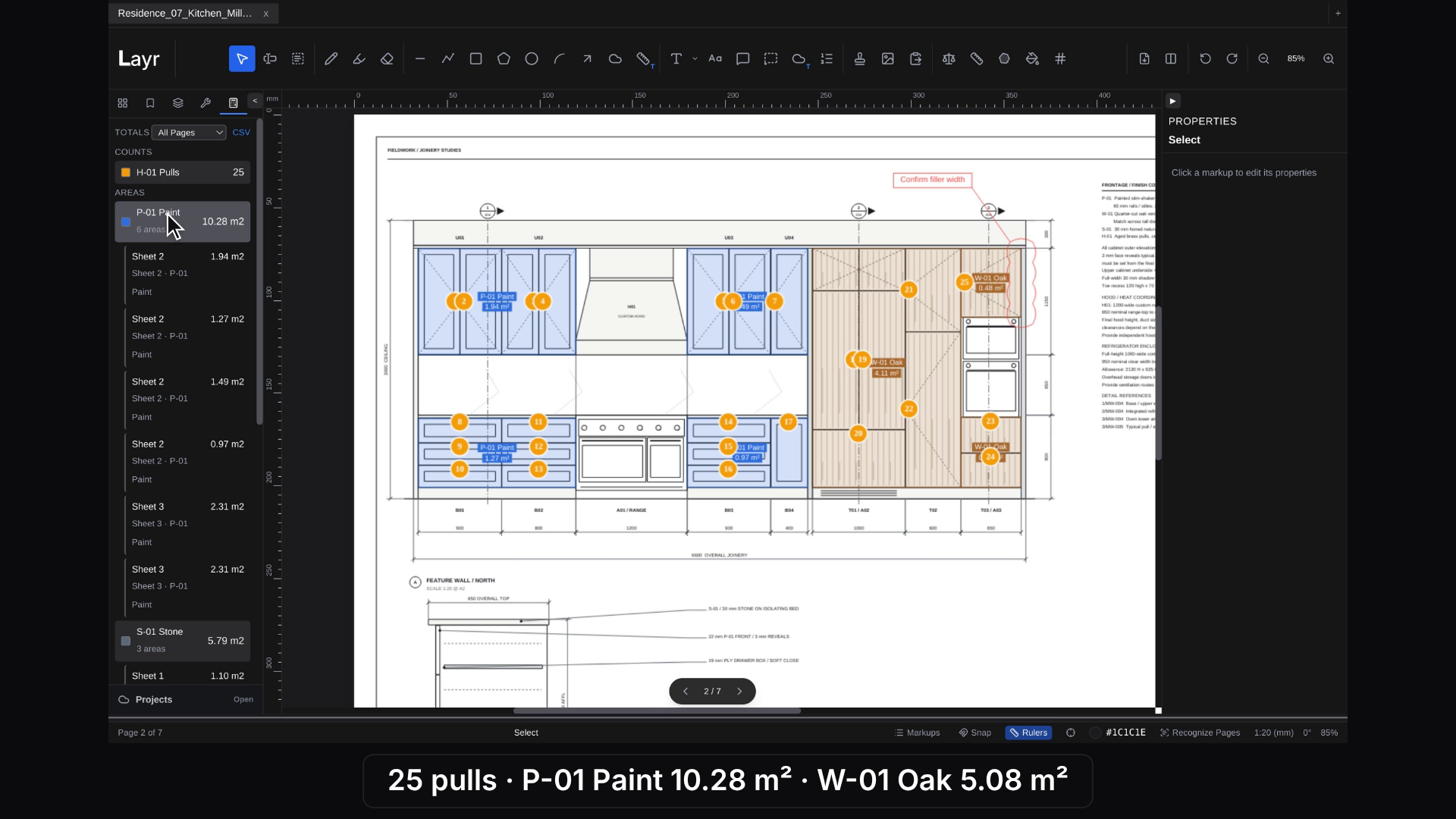
The takeoff tools in Layr.
Takeoffs depend on the drawing. Calibrate each sheet, check a known dimension, and verify critical quantities before ordering or quoting.
| Takeoff job | Layr tool |
|---|---|
| Set the drawing scale | Calibrate from a known dimension or a scale preset |
| Lengths and runs | Linear measure, polylength and perimeter |
| Floor and wall areas | Area measure, plus Dynamic Fill to click inside a room |
| Item counts | Count markers grouped by name, with running totals |
| Volumes and circles | Volume (area × depth), diameter, radius and angle |
| Totals for pricing | Totals panel by group, export to CSV |
What Layr does not do.
Layr is a measuring and counting tool, not an estimating system. It does not price items, connect live to a spreadsheet, keep a cost database or count symbols automatically. Export the totals to CSV and price them in the system you already use.
Price.
Takeoff tools are included in every paid Layr plan: US$35 a year solo or US$30 per user per year for teams, with Windows, Mac and browser access. Start with a 7-day editing trial.
Common questions
Can I do construction takeoffs from a PDF?
Yes. Calibrate the PDF's scale, then measure lengths, areas and perimeters and count items. Layr totals them by group and exports the totals to CSV.
Does Layr count symbols automatically?
No. You click each item with the Count tool and Layr keeps the running total. Dynamic Fill speeds up area takeoffs by filling a room from one click inside it.
Is Layr an estimating program?
No. Layr measures and counts. Export the totals to CSV and price them in your estimating spreadsheet or system.
Mark up, measure and review with LayrPDF.
Drawing tools, keyboard shortcuts, saved markups and live team review. Start with a 7-day editing trial.
Get LayrPDF