

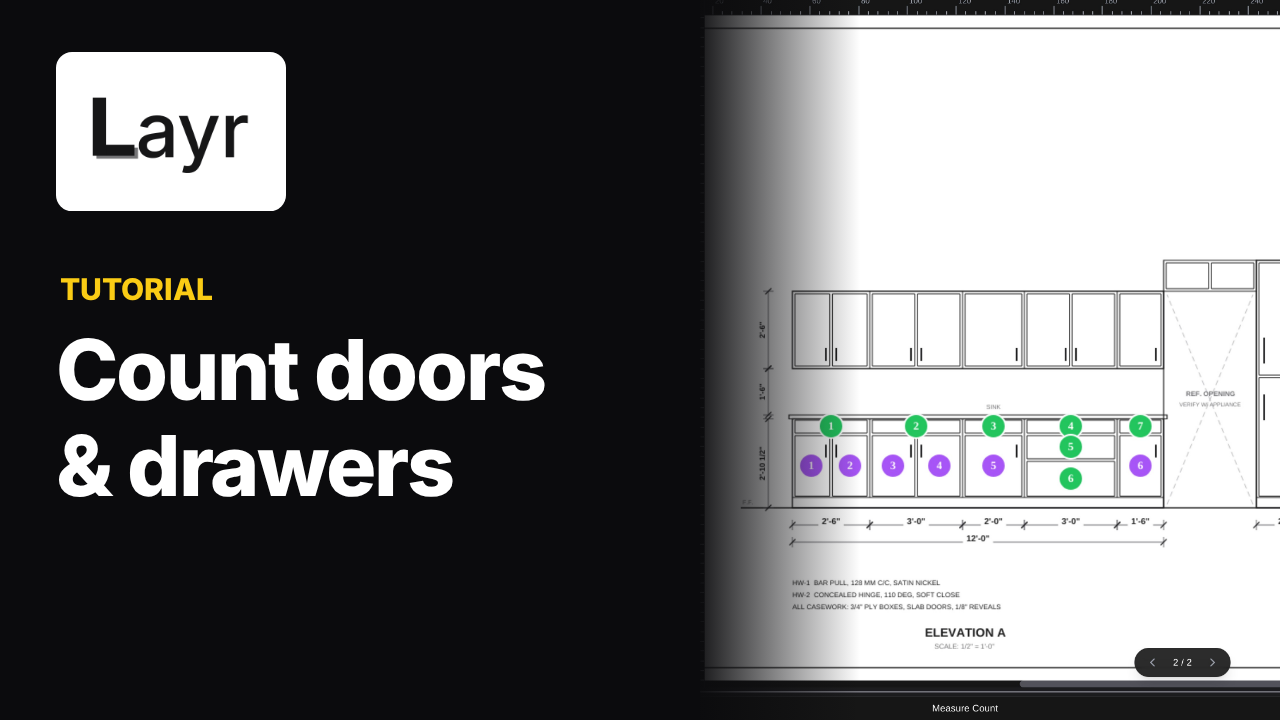
Step by step.
Pick or name a group
Choose a count group such as Doors or Hinges, or type a new one. Each group gets its own colour.
Click each item
Click every item on the sheet. Each click places a marker and adds one to the group total.
Check the totals
The totals panel shows each group's count for the page or the whole document.
Export
Export the totals to CSV for your estimate or order.
Tips for a clean count.
Layr does not detect symbols automatically: you click each item, which keeps you in control of what gets counted.
- Use one group per item type so totals stay separate
- Count a sheet at a time and check the page total before moving on
- Markers stay on the drawing, so someone else can check your count
Common questions
Can I count symbols on a PDF automatically?
Layr does not count symbols automatically. You click each item and it keeps the total by group.
Can I count across several pages?
Yes. The totals panel shows counts for the current page or all pages.
Can I export the counts?
Yes. Export the totals to CSV and open them in Excel or another spreadsheet.
Mark up, measure and review with LayrPDF.
Drawing tools, keyboard shortcuts, saved markups and live team review. Start with a 7-day editing trial.
Get LayrPDF