
01
High-performance PDF engine
- Smooth zoom up to 1000% on large drawing sets
- Stable rendering for complex CAD PDFs
- Fast, responsive panning and navigation
Built for drawing review
A simple tool for serious work. $35 a year.
Fast on big sets, built for real work, and priced so you don’t have to think twice.
Seven days free. Upgrade to keep editing after your trial.
Seven days free. Editing becomes read-only at expiry; keep opening, viewing, printing, and saving existing work.
Speed + serious work
Take off calibrated measurements, count areas, set up sheets, and mark up plans with a full set of tools. Built for real drawing sets: 400-page plan sets and 400MB CAD files open fast and stay fast while you work.
V1 feature set
Calibrate, measure, count, mark up, compare, save, and export without getting buried in generic document software.
01
02
03
04
05
06
Inside Layr
Sheet setup, markups, keyboard shortcuts, and reusable tools stay close at hand for the jobs you do all day.
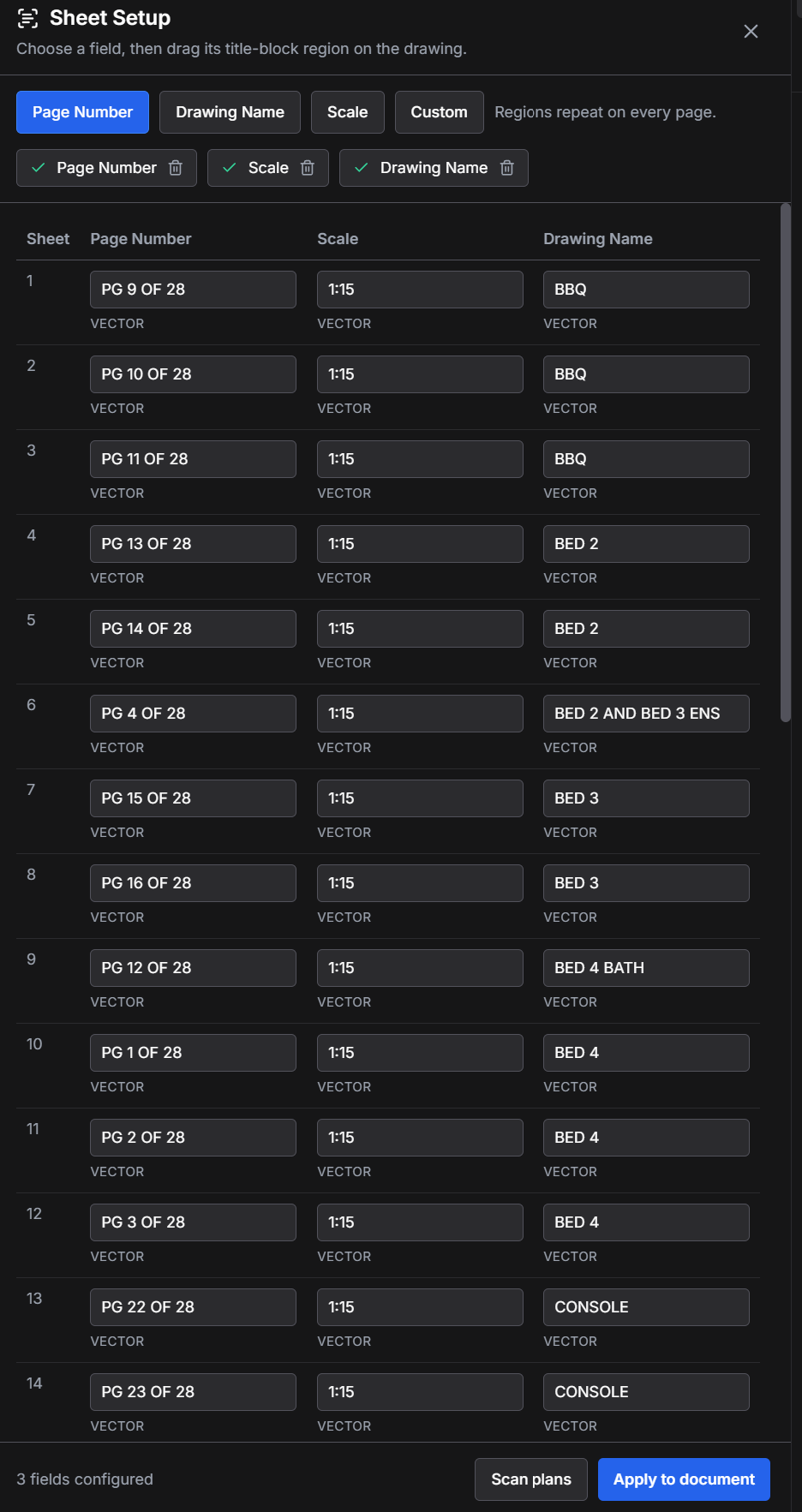
Sheet setup
Scan page numbers, drawing names, and scales across the set, then review everything before applying it.
Open full screenshot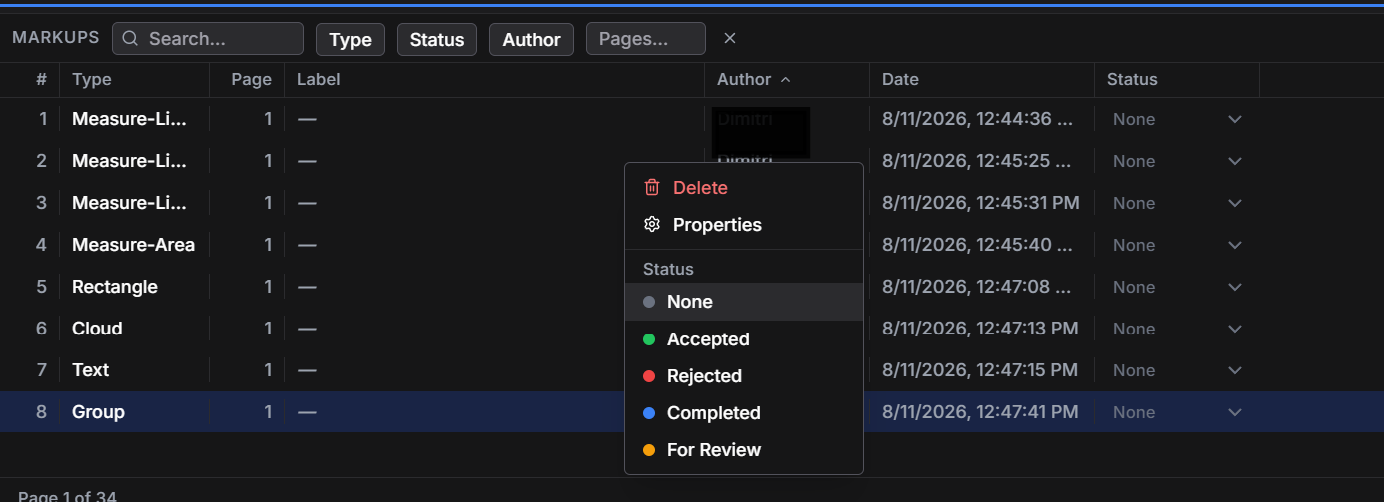
Markup register
Search by type, page, author, and status, then move work from review through completion.
Open full screenshot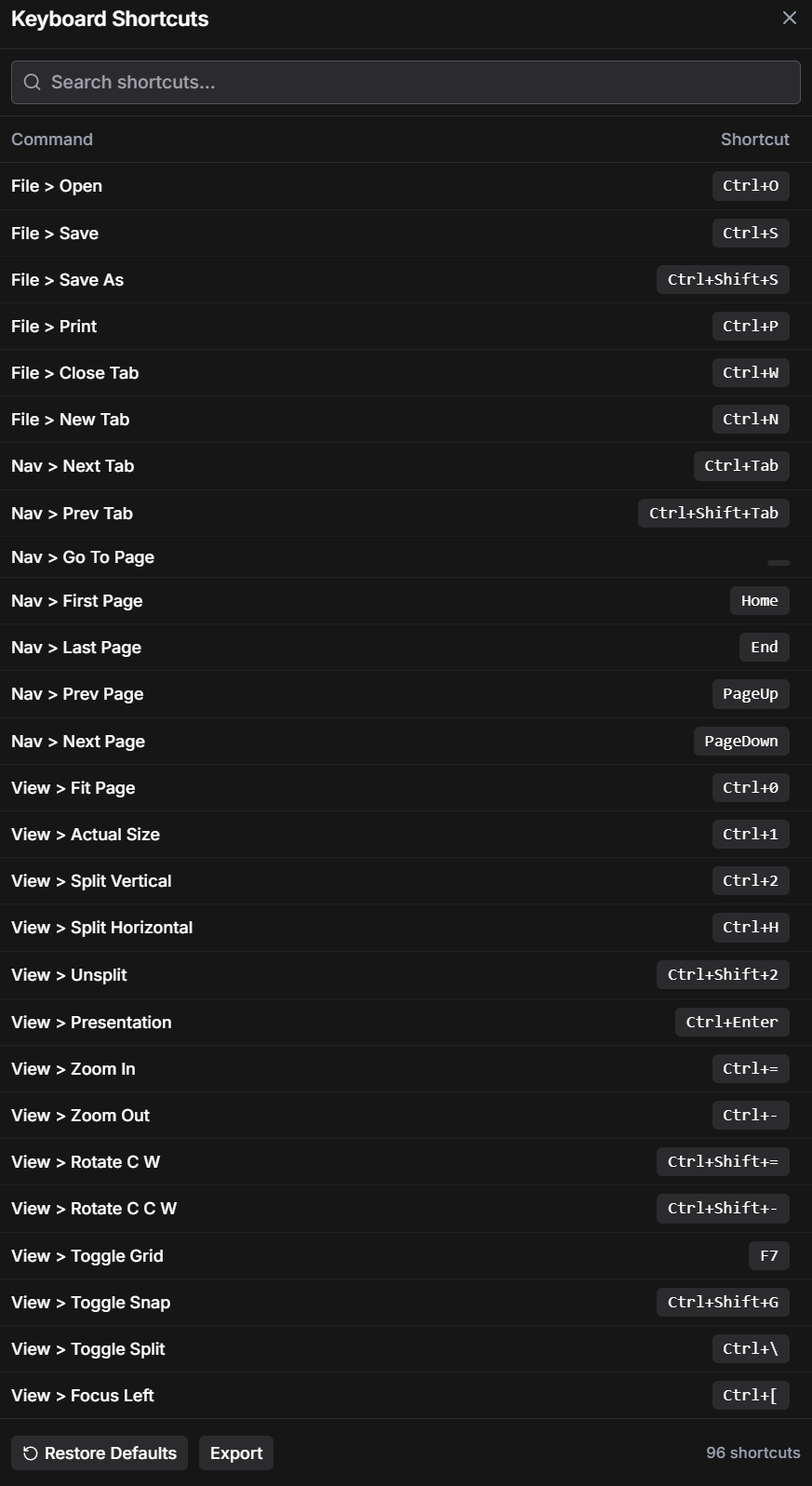
Keyboard workflow
Use familiar commands, search the full shortcut set, and keep common drawing actions close at hand.
Open full screenshot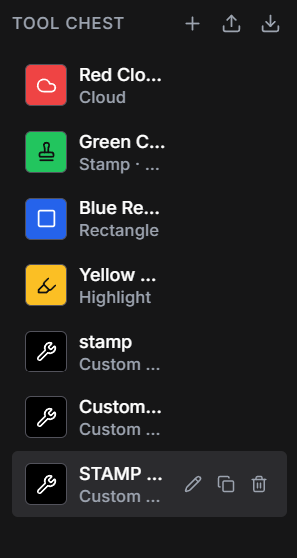
Tool Chest
Keep custom markups, stamps, highlights, and drawing tools ready for the next sheet.
Open full screenshotSIMPLE PRICING
Seven days free. Then choose $5 per month or $35 per year.
Desktop and browser access are included with every paid subscription.
| What’s included | ||||
|---|---|---|---|---|
| Markups | 7-day trialRead-only at trial expiry | ✓ Unlimited | ✓ Unlimited | ✓ Unlimited |
| Viewing | Unlimited | Unlimited | Unlimited | Unlimited |
| Windows and Mac desktop apps | ✓ | ✓ | ✓ | ✓ |
| Web access | View shared drawings and markups | ✓ | ✓ | ✓ |
| Browser appDraw and mark up without installing the desktop app | — | ✓ | ✓ | ✓ |
| Local offline use | ✓ | ✓ | ✓ | ✓ |
| Cloud project storage | — | 25 GB included | 25 GB included | 25 GB per user, pooled |
| Team license management | — | — | — | ✓ |
After the 7-day trial expires, editing becomes read-only. You can still open, view, print, and save existing work. Upgrade to keep editing. Prices in USD. Taxes may apply. Cancel anytime.
Founder note
I work in drawings every day: marking up plans, checking measurements, sending notes back to people. The tools out there are good. I just couldn’t justify $300 a year to open a drawing, mark it up, and send it to someone.
So I built the one I wanted to use. Fast on big sets, built for real work, and priced so you don’t have to think twice.
It’s the tool I open every morning. Now it’s yours too.
Why switch
Layr keeps the drawing review loop direct: open the set, do the work, share it, and move on.
7-day free trial
Seven days free. At expiry, editing becomes read-only. You can still open, view, print, and save existing work. Upgrade to keep editing.
Want occasional product updates?
Occasional product and release updates. Unsubscribe at any time.
Vote on what we build next.