

The jobs a contractor's PDF tool has to do.
| Job on site or in the office | How you do it in Layr |
|---|---|
| Flag a change on a revised sheet | Compare revisions side by side, then cloud the change |
| Check a dimension | Calibrate the drawing scale and measure length or area |
| Count fixtures or units | Count markers with running totals |
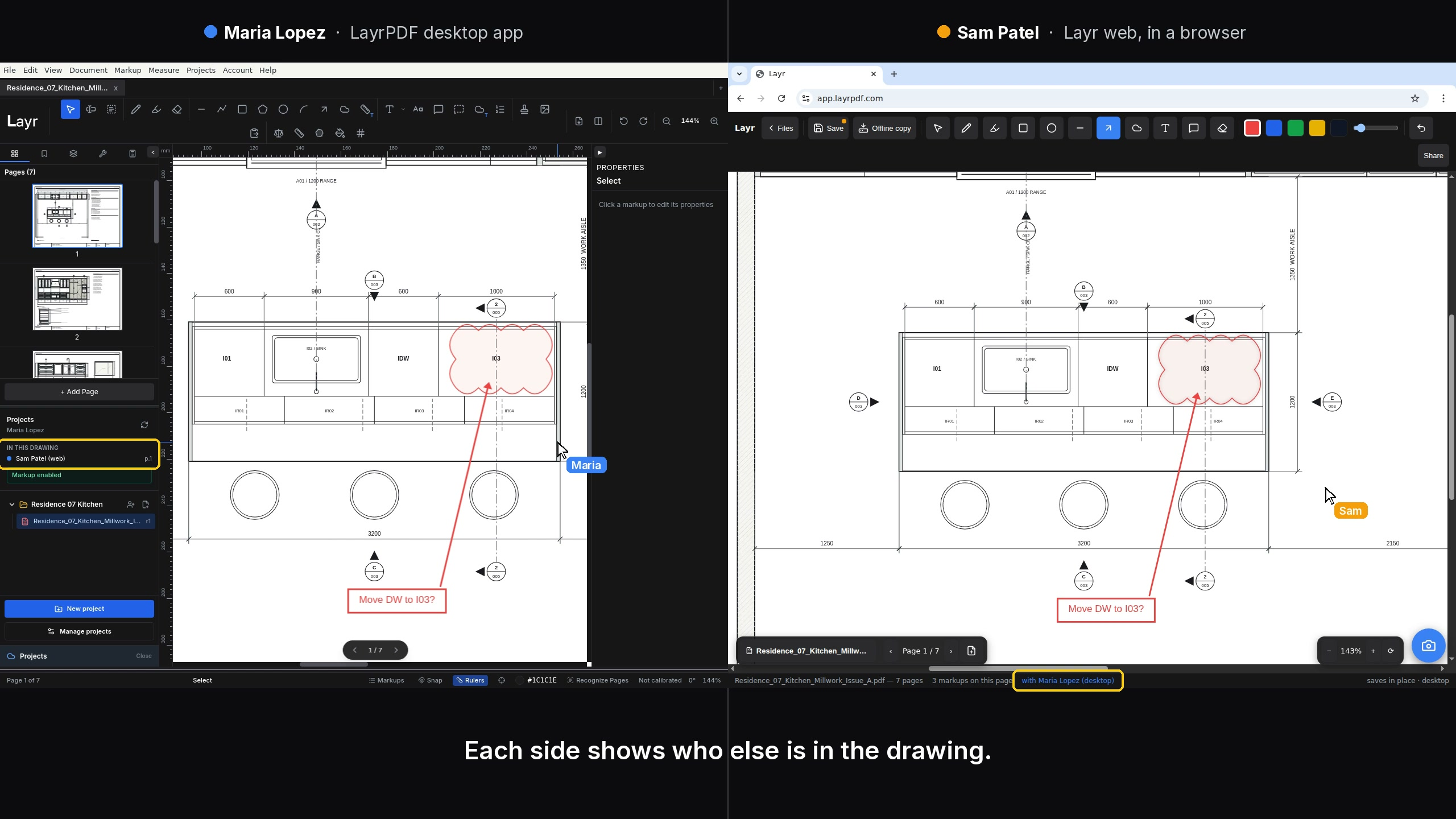
| Raise a site query | Callout with a leader pointing at the detail |
| Share with the site team | Live shared markups, viewable in a browser |
| Track open comments | Markup register with page, author and status |
Desktop in the office, browser on site.
The Windows and Mac apps handle full drawing sets locally. Shared projects open in a browser, so a supervisor can see the latest markups without installing anything. Markups made on one device appear on the others live.
Measurements depend on the drawing: set the scale, check a known dimension, and verify critical dimensions before ordering or building.
Switching from Bluebeam?
Open a copy of a real drawing set and try the markups and measurements you use most. Layr opens PDFs marked up in other tools, though support varies by annotation type. Layr does not include batch automation, scripting or CAD plug-ins.
Common questions
Does Layr work on Mac?
Yes. Layr has Windows and Mac (Apple Silicon) desktop apps, and shared projects open in a browser. All are included with a paid plan.
Can my site team see markups without a paid seat?
Project owners can invite people to view a shared project for free. Making markups requires a paid seat.
Can I do quantity takeoffs?
Layr measures lengths and areas at a calibrated scale and counts items, with totals you can export to CSV. Check the measurements against the drawing before ordering.
Mark up, measure and review with LayrPDF.
Drawing tools, keyboard shortcuts, saved markups and live team review. Start with a 7-day editing trial.
Get LayrPDF