
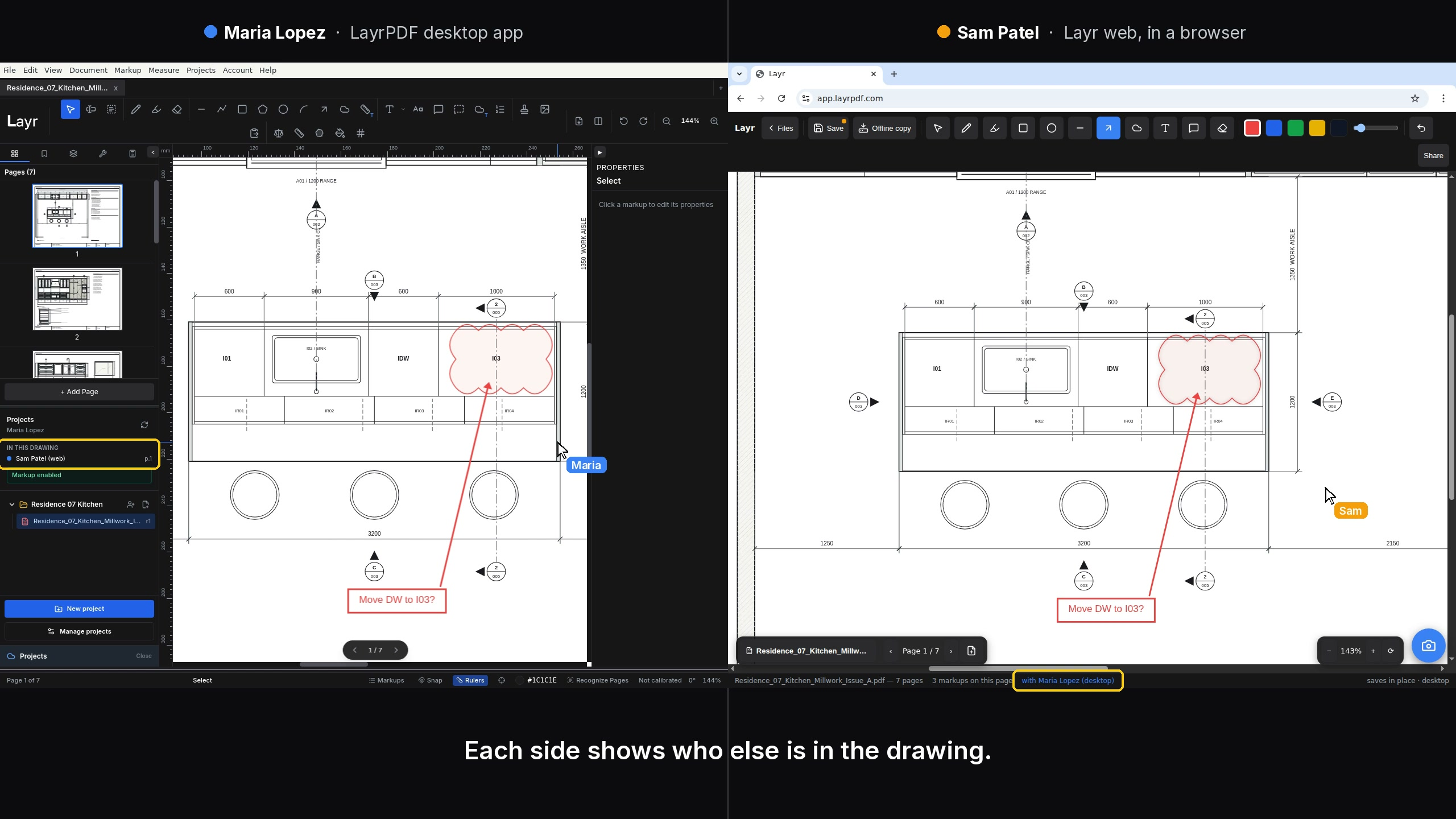
What the browser version does, and what the desktop app adds.
| Task | Browser | Windows or Mac app |
|---|---|---|
| Open shared project drawings | Yes | Yes |
| Clouds, callouts, text, shapes and photos | Yes | Yes |
| Live markups shared with the team | Yes | Yes |
| Scale calibration and measurements | No | Yes |
| Counts and takeoff totals | No | Yes |
| Large local drawing sets | Use the app | Yes |
How sharing works.
Add a drawing to a shared cloud project, then invite your team. Markups made in the browser or a desktop app appear for everyone in the project as they happen. Project owners can invite people to view a project for free; making markups needs a paid seat.
Adding a PDF to a cloud project uploads a copy so members can open it. Local PDFs you open in the desktop app stay on your computer unless you add them to a project.
Common questions
Can I mark up a PDF online without installing software?
Yes, for drawings in a shared Layr project. Open the project in your browser and add clouds, callouts, text and shapes.
Can I measure drawings in the browser?
No. Calibration, measurements and counts are in the Windows and Mac apps.
Is the browser version free?
People invited to view a project can see it for free. Making markups needs a paid Layr plan, which includes browser, Windows and Mac access.
Mark up, measure and review with LayrPDF.
Drawing tools, keyboard shortcuts, saved markups and live team review. Start with a 7-day editing trial.
Get LayrPDF