

Solo yearly
$35 / year
Save $25 compared with twelve monthly payments.
Choose yearlyLayr for architects
From a consultant coordination set to a detail review, keep comments precise and easy to locate. Mark up plans, sections, and elevations without losing the thread of the review.
Built for architects and architectural design teams.
A consultant comment may start on a plan and refer to a section elsewhere in the set. PDF markup software for architects should make that location clear. Layr combines notes, callouts, measurements and a markup register with side-by-side revision review.
A review that fits your work
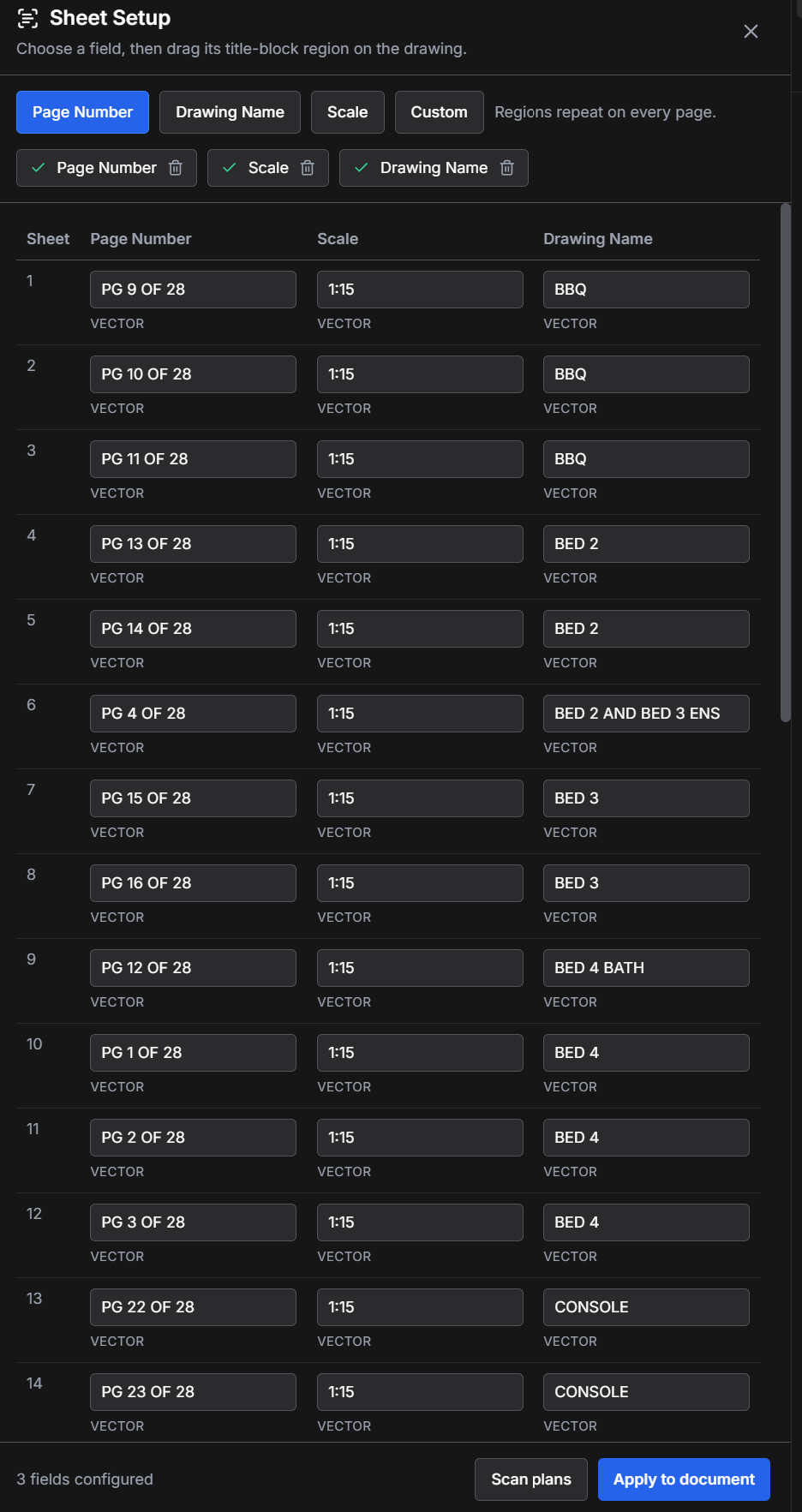
Review page numbers, drawing names, and scales in Sheet Setup so the team can find the right plan, section, or elevation.
Use clouds, callouts, and dimensions to identify a junction, coordinate a consultant comment, or clarify a detail.
Compare issues in split view and review notes by author, page, or status. Save a marked-up copy for your established review process.
Example review notes
Same Layr. Same pricing.
Try editing free for 7 days. After that, subscribe to keep editing. Your existing work remains readable.
$35 / year
Save $25 compared with twelve monthly payments.
Choose yearly$5 / month
The same Solo plan, billed monthly.
Choose monthly$30 / user / year
Annual billing. Two-seat minimum: $60/year.
Choose TeamsUSD. Taxes may apply. Compare plan inclusions. No trade-specific discounts.
Before you start
No. Keep authoring in your existing CAD or BIM tools. Layr is for reviewing their PDF output, adding comments, measuring, and comparing drawings side by side.
Editing tools lock unless you have a valid paid entitlement. You can still open, view, print, and save existing work. The trial requires a verified account and internet access; sending this form does not create or reset a trial.
No. Leave your email to continue to the download, then sign in inside Layr with Google or an email link. You only enter payment details if you choose a paid subscription.
The Windows desktop app renders local PDFs on your computer. Adding a PDF to a shared cloud project uploads a copy for collaboration. Keep confidential documents local unless you are authorized to share them.
Layr is a PDF review tool, not a BIM authoring tool or an automated compliance checker.
Test with copies of your PDFs. Windows installation questions? Contact Layr.
Try Layr FreePDF drawing review guides