

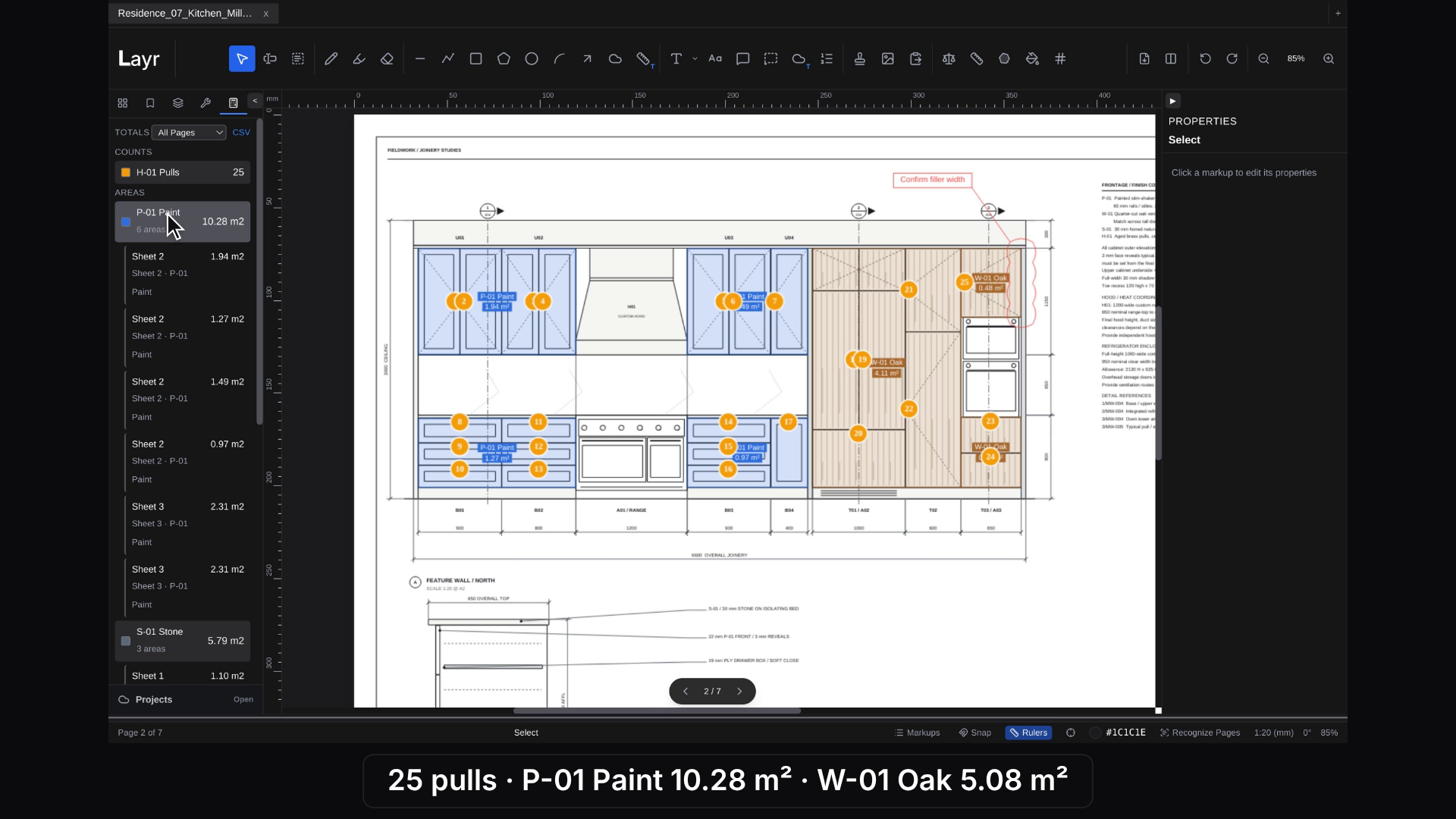
Step by step.
Calibrate
Set the drawing scale on each sheet you will measure.
Measure and count
Use length, area and count tools, and put each item in a named group.
Review the totals
Open the totals panel to see counts, areas and lengths by group, for one page or all pages.
Export to CSV
Export the totals. The file has one row per group with type, group, unit, count, total and pages.
Open in Excel
Open the CSV in Excel, Google Sheets or Numbers and add your prices.
What to know.
The export is a CSV snapshot of your totals, not a live link: if you change a measurement, export again. Layr does not price items or keep a cost database.
Common questions
Can I export a PDF takeoff to Excel?
Yes. Layr exports measurement and count totals to a CSV file, which opens in Excel.
Does the spreadsheet update when I change a measurement?
No. The CSV is a snapshot. Export again after changing measurements.
What is in the export?
One row per group with the type, group name, unit, count, total and the pages it appears on.
Mark up, measure and review with LayrPDF.
Drawing tools, keyboard shortcuts, saved markups and live team review. Start with a 7-day editing trial.
Get LayrPDF