
The tools that matter when the PDF is a drawing.
A PDF review might be a single cabinet elevation or a whole set of architectural plans. The useful tools are the ones that make your comments clear: a cloud around the affected detail, an arrow to the junction and a note that explains the change. Layr includes those tools alongside calibrated measurements and drawing comparison.
Live team markups keep the review attached to shared drawing sets. Browser access lets you open and mark up shared drawings on site, while the Windows desktop app handles local PDF review. Sharing a project is a separate choice from assigning someone a software licence.
| Your review task | What LayrPDF provides |
|---|---|
| Show a drawing change | Clouds, arrows, dimensions and notes placed on the PDF |
| Measure a detail | Drawing scale calibration, lengths, areas and item counts |
| Review a revised issue | Side-by-side drawing comparison |
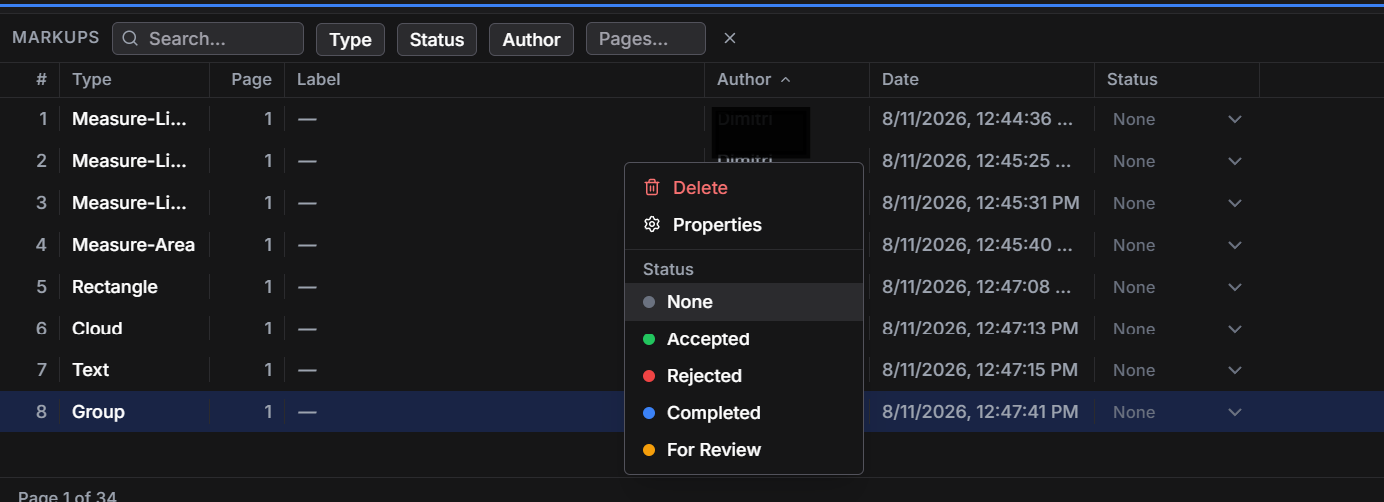
| Find a review comment | A markup register with page, author and status information |
| Repeat a common markup | Saved tools and keyboard shortcuts |
| Review with the team | Live markups on shared drawing sets and browser access |
For the details your trade actually reviews.
For millworkers, that could be a reveal beside a wall finish, a filler that needs clarification or a hardware location on a casework elevation. A drawing measurement provides a useful reference once the PDF scale is checked; the note gives the drafter or installer the reason for the query.
Architects can mark a consultant coordination comment on a plan, section or detail. Interior designers can identify a finish transition, lighting position or joinery decision. Contractors can locate a site query directly on the relevant sheet. The PDF remains the place where each comment has context.
Choose an alternative by the work you need it to do.
A Bluebeam alternative does not have to replace every function in a larger construction software package. Start with the jobs you actually use: drawing markup, measurements, revision review and team collaboration. Those are the jobs this page describes in Layr.
If your project requires a particular file exchange, specialist estimating system or client-mandated software, check that requirement separately. Layr is a PDF reviewer. It does not author CAD or BIM models, generate CNC output, approve submittals or automatically check a design for compliance.
Measurements also depend on the source drawing. Set the correct scale and units, check a known dimension and verify critical dimensions before fabrication or site work. A clear PDF markup communicates a decision; it does not certify the drawing.
An affordable PDF tool for small businesses and teams.
A small millwork shop, drafting business or architecture practice may need the same drawing tools as a larger team: clear markups, scaled measurements and revision review. When choosing a Bluebeam alternative for a small business, compare those everyday tasks and the number of people who need access.
Layr Solo is US$35 a year or US$5 a month. You can start with a seven-day editing trial, with no credit card or automatic charge. The trial starts when you sign into Layr; submitting a website enquiry alone does not start it.
After the trial, a valid paid subscription is required for editing. Existing work remains readable. If you are searching for a cheap PDF tool, compare the tools you need and the ongoing price together, rather than choosing on the word “free” alone.
LayrPDF is independent of Bluebeam and Adobe and is not affiliated with or endorsed by either company.
Common questions
Is LayrPDF a free Bluebeam alternative?
Layr is a paid PDF drawing-review product with a seven-day editing trial. Solo costs US$35 a year or US$5 a month. It is not a forever-free editor.
Can I use it to review millwork shop drawings?
Yes. Layr reviews PDF shop drawings, including casework elevations, panel layouts and installation details. You can mark up, measure at a checked scale, compare drawings and share live review comments.
Does Layr replace all Bluebeam features?
No. This page describes an alternative for PDF drawing markup, measurement and review. Check any specialised functions, project requirements and file exchanges you depend on before choosing software.
Can Layr also be an Adobe Acrobat alternative for drawing review?
For reviewing PDF drawings, Layr provides annotations, drawing measurements, side-by-side comparison and live shared markups. Choose it for those tasks. Check any document editing, forms, signatures or conversion features you rely on separately; this is not a claim that Layr replaces the full Acrobat feature set.
Mark up, measure and review with LayrPDF.
Drawing tools, keyboard shortcuts, saved markups and live team review. Start with a 7-day editing trial.
Get LayrPDF