
Solo yearly
$35 / year
Save $25 compared with twelve monthly payments.
Choose yearlyLayr for construction
Revision clouds, drawing measurements and live markups across the set. Layr gives contractors and site teams a quick way to review PDF plans, with browser access to shared drawings in the field.
Built for contractors, site teams, and project managers.
Redline construction drawings with a cloud around the affected area and a note explaining the query. Layr brings drawing measurements, revision comparison and live shared comments together, so a plan, section or detail can carry the context of the review.
A review that fits your work
Open the previous and revised PDFs side by side. Review changed layouts and details before briefing the team.
Use revision clouds, arrows, notes, and calibrated measurements to show a clash, missing dimension, or item needing clarification.
Use the markup register to find notes by page, author, and status. Save the reviewed PDF for your normal RFI or site-coordination process.
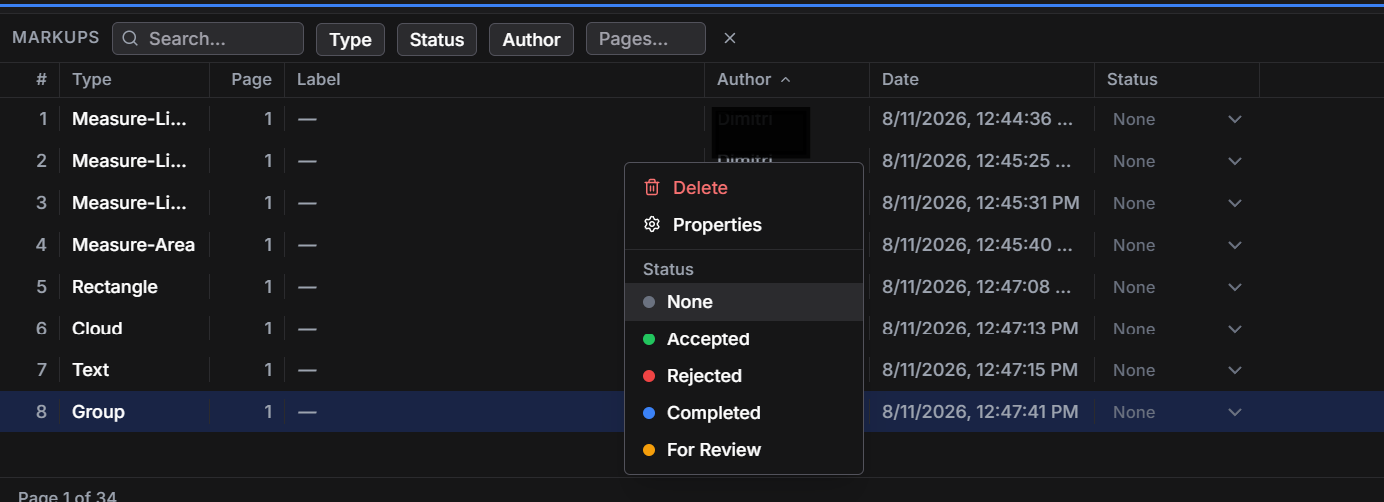
Example review notes
Same Layr. Same pricing.
Try editing free for 7 days. After that, subscribe to keep editing. Your existing work remains readable.
$35 / year
Save $25 compared with twelve monthly payments.
Choose yearly$5 / month
The same Solo plan, billed monthly.
Choose monthly$30 / user / year
Annual billing. Two-seat minimum: $60/year.
Choose TeamsUSD. Taxes may apply. Compare plan inclusions. No trade-specific discounts.
Before you start
You can calibrate a PDF and measure on the drawing. Confirm the scale and units, and verify critical dimensions on site; a drawing measurement is not a field survey.
Editing tools lock unless you have a valid paid entitlement. You can still open, view, print, and save existing work. The trial requires a verified account and internet access; sending this form does not create or reset a trial.
No. Leave your email to continue to the download, then sign in inside Layr with Google or an email link. You only enter payment details if you choose a paid subscription.
The Windows desktop app renders local PDFs on your computer. Adding a PDF to a shared cloud project uploads a copy for collaboration. Keep confidential documents local unless you are authorized to share them.
Layr supports PDF review. It does not replace your formal RFI, document-control, or site-verification process.
Test with copies of your PDFs. Windows installation questions? Contact Layr.
Try Layr FreePDF drawing review guides