
Start with what you need to change.
PDF markup and PDF editing are often used as if they mean the same thing. They are different jobs. Markup adds comments, highlights, arrows or shapes to a document. Editing might mean changing the original text, rearranging pages or converting a file. A tool that is free for one job may charge for another.
For occasional annotation, check the software already on your computer. On a Mac, Apple Preview can annotate PDFs with notes, shapes and other markup tools. That can be enough for a small document review without buying another subscription. Apple's guide below explains the available tools.
Drawboard also advertises a free entry option for PDF markup. Its measurement documentation says measurement tools require Pro. That is a useful example of why the exact feature matters more than a “get started free” button.
What to check when the PDF is a drawing set.
A highlighter is useful, but it does not tell you whether a cabinet opening is the size shown on the drawing. For architectural plans, millwork shop drawings and construction details, check the drawing-specific tools before deciding that a free PDF alternative covers the work.
| Need | What to check |
|---|---|
| Basic comments | Notes, arrows and shapes that remain readable when the PDF is shared |
| Drawing measurements | Scale calibration, the correct units and a way to check a known dimension |
| Length and area | Whether each measurement type is included in the plan you will use |
| A busy review set | A way to locate comments by sheet, author or review status |
| Team review | Whether comments are shared live or require sending another file |
| Site access | Supported browser access, sign-in requirements and project permissions |
| Repeated details | Saved markup tools and keyboard shortcuts |
A free trial is different from a free plan.
A free plan may keep some tools available indefinitely, with limits on features, storage or use. A free trial gives you access for a set time. Before using either on a live job, read what happens when a limit is reached and whether the original work remains accessible.
Also check the sharing method. Sending someone a PDF is different from giving them access to a shared project. A free annotation tool may cover the first need perfectly while a team needs a separate solution for a live review. There is no reason to pay for features you do not use, but it helps to know which problem you are buying the tool to solve.
Where LayrPDF fits.
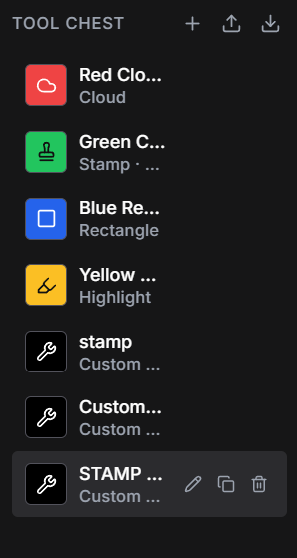
Layr is a paid PDF drawing-review tool with clouds, arrows, notes, calibrated measurements, item counts and side-by-side comparison. It also has a markup register, saved tools, keyboard shortcuts and live team markups on shared drawing sets. The Windows desktop app reviews local PDFs; authenticated browser access opens shared projects on site.
Solo costs US$35 a year or US$5 a month. The seven-day editing trial starts when you sign into Layr, needs no credit card and does not automatically charge you. After it ends, editing requires a paid subscription and existing work remains readable.
If your search for a free PDF alternative really means “I want to review drawings without spending a fortune”, that is the choice Layr is designed to offer. If a few notes in your existing PDF reader cover the job, start there.
Common questions
Is LayrPDF free forever?
No. Layr has a seven-day editing trial, followed by paid editing. Existing work remains readable after the trial. The trial requires sign-in and internet access for editing.
Is there a free Bluebeam alternative for PDF markup?
For basic notes, highlights and shapes, a free annotation tool may be enough. For drawing review, check whether scale calibration, measurements, reusable tools and live sharing are included; free plans vary. The free options described above cover basic annotation. Layr offers drawing-review tools with a seven-day editing trial, followed by paid editing.
Can I measure a scaled drawing in any free PDF reader?
Do not assume so. Check for drawing-scale calibration and the measurement types you need. Basic annotation, a ruler on the screen and calibrated drawing measurement are different capabilities.
Which desktop system does Layr support?
The public desktop download is for Windows 10 and 11. You can also open shared projects through browser access.
Mark up, measure and review with LayrPDF.
Drawing tools, keyboard shortcuts, saved markups and live team review. Start with a 7-day editing trial.
Get LayrPDF