

Start with opening and saving drawings.
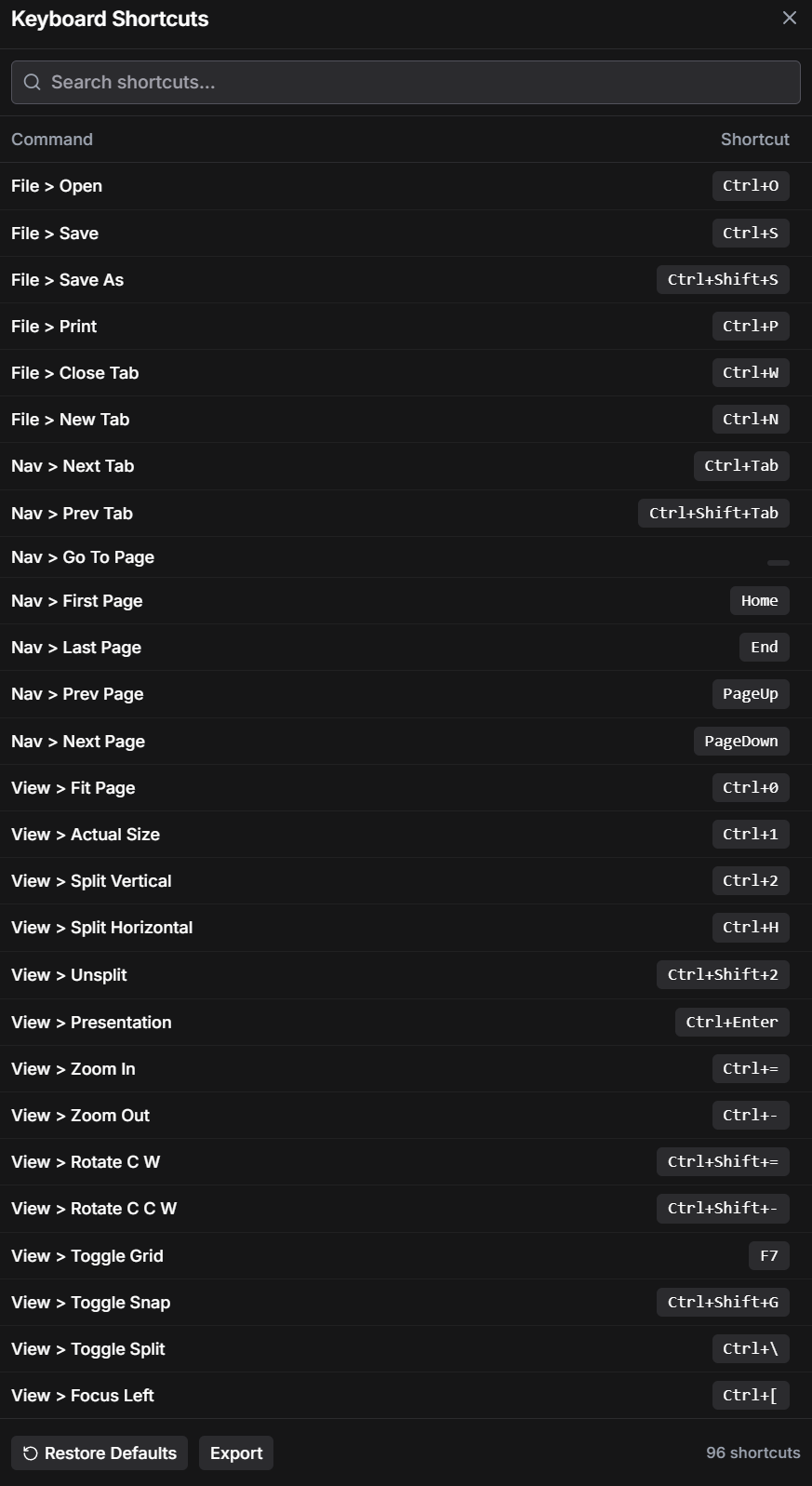
You do not need to learn every command at once. Start with the actions you already repeat: opening a PDF, saving a marked-up drawing and moving between open files. The shortcuts below are shown in Layr's Windows Keyboard Shortcuts window.
Save and Save As serve different purposes. Save keeps the current document up to date; Save As lets you choose a separate output file. If the original issued drawing needs to stay untouched, check the destination and filename when saving your review copy.
| Action | Windows shortcut |
|---|---|
| Open a PDF | Ctrl+O |
| Save | Ctrl+S |
| Save As | Ctrl+Shift+S |
| Ctrl+P | |
| Next open tab | Ctrl+Tab |
| Previous open tab | Ctrl+Shift+Tab |
Move through the set without losing the detail.
A PDF page number and a drawing number are not always the same. Page 12 might be sheet A-402. When you change pages, confirm the sheet title and revision before adding a comment. A navigation shortcut gets you there; the drawing reference tells you whether it is the right place.
Fit Page is useful for finding your position after looking closely at a detail. Actual Size changes the view, but it does not calibrate a drawing measurement. Screen zoom and drawing scale are separate settings; use a known dimension when setting a measurement scale.
| Action | Windows shortcut |
|---|---|
| Previous page | PageUp |
| Next page | PageDown |
| First page | Home |
| Last page | End |
| Fit Page | Ctrl+0 |
| Actual Size | Ctrl+1 |
Keep related drawings in view.
Split view is useful when a plan refers to a section, a shop drawing needs to be checked against a detail, or you are reviewing an earlier and a revised issue. Keeping both views on screen reduces the need to switch back and forth between tabs.
Layr lists Ctrl+2 for Split Vertical, Ctrl+H for Split Horizontal and Ctrl+Shift+2 for Unsplit. Choose the arrangement that gives the detail enough room. Check which pane is active before navigating or marking up, especially when the two sheets look similar.
Side-by-side drawing review is a visual comparison. Opening two revisions together does not automatically identify every difference or decide which change is correct.
Look up a command when you need it.
Layr's Keyboard Shortcuts window includes a search box. Search for the action you want, such as save, page or split, instead of memorising a long list. The window shows the command beside its shortcut, which also helps when a shortcut you remember belongs to another PDF application.
Keyboard focus matters. If you are typing a note, using a search field or working in a dialog, finish that action before expecting a drawing command to respond. Check the active window and tool before repeating a key. These are desktop shortcuts; a browser can reserve its own key combinations.
For repetitive review comments, shortcuts work alongside reusable markup tools. A shortcut makes a command easier to reach. A saved tool helps keep the style of a repeated cloud, highlight or note consistent. They solve different parts of the same drawing review.
Drawing review tools around the keyboard.
LayrPDF combines PDF markups, calibrated measurements, a markup register and side-by-side comparison. Live team markups on shared drawing sets are also available, with browser access for shared projects.
The Windows app has a seven-day editing trial with no credit card or automatic charge. Solo is US$35 a year or US$5 a month after the trial; existing work remains readable if you do not subscribe.
Common questions
Are these shortcuts for the Windows desktop app?
Yes. The table reflects the commands shown in Layr's Windows Keyboard Shortcuts window. Browser shortcuts can differ because the browser may use the same key combinations.
Does Actual Size set the correct scale for a PDF measurement?
No. Actual Size is a viewing command. Calibrate the PDF against a known drawing dimension and check the units before using a measurement.
Do I have to memorise all the PDF shortcuts?
No. Start with the commands you repeat and use the searchable Keyboard Shortcuts window to look up the others.
Mark up, measure and review with LayrPDF.
Drawing tools, keyboard shortcuts, saved markups and live team review. Start with a 7-day editing trial.
Get LayrPDF